Your Spicy Weekly Planner: How to Organize Content Creation Without Burning Out

💬 Want a second opinion? Post it in our free Telegram help group
One of the keys to success on OnlyFans, MYM Fans, Fansly or Uncove is organization. Don't wait for inspiration to strike. Set up a weekly plan so you produce consistently, keep fans engaged and stand out on crowded platforms. For the habits that keep a schedule like this running, see our 5 systems for consistent, profitable content.
1. Don't wait for ideas: start creating
Inspiration follows action, not the other way around.
- Warm up: take a few selfies, a short video, a photo of your space. No pressure.
- Let ideas come while you create. The first shots are often just the warm-up that leads to better ones.
2. Set a weekly plan: quantity and media types
A plan structures your week and kills creator's block. Here's a sample:
| Day | Content |
|---|---|
| Monday | 3 selfies + 1 trend-inspired short video |
| Tuesday | Weekly themed photo shoot + 1 private media post |
| Wednesday | 1 piece inspired by a viral trend |
| Thursday | Put together a private media bundle |
| Friday | 2 selfies + 1 exclusive video for subscribers |
| Weekend | Rest, ideas, light engagement |
Adjust quantities to your energy. Consistency beats volume.
3. Use recurring themes
Recurring themes keep things fresh while your page stays coherent:
- Selfies: daily touchpoints with fans.
- Weekly themes: lingerie Monday, cosplay weekend, "date night" Friday... Creators swap theme ideas every week in our creators group on Telegram.
- Trends: adapt viral TikTok and Reels formats (SFW versions for social, spicier versions for your page).
- Private media: exclusive photos and personalized videos fans can't get anywhere else. See lead products and MOD.
4. Create to spark new ideas
One simple concept can turn into a series. A single shoot can inspire a whole theme week. Start small, follow what excites you, and let one idea lead to the next. More methods in the 20-ideas method. When your plan runs dry, listening to your fans is the quickest way to refill it.
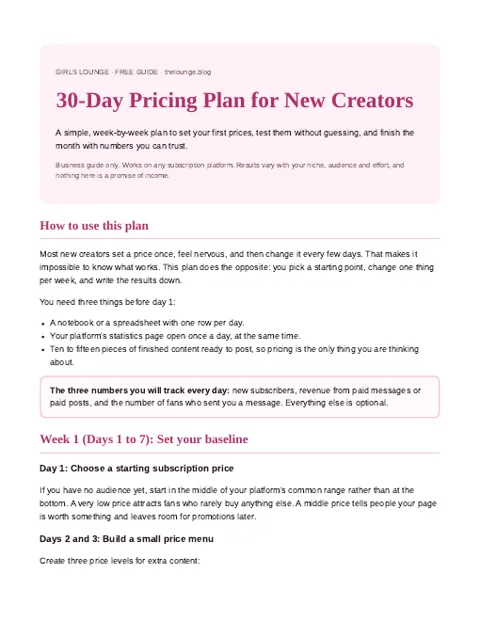
Four weeks, one change per week, clear decisions. Download our pricing plan for new creators.
Join the creators group to get the plan
PDF pinned in the group. What is inside?
5. Refresh your sets on a budget
Want new backgrounds without spending much? Check dollar stores and discount shops (Dollar Tree, Five Below, the seasonal aisle at Target or Walmart) and online marketplaces:
- LED strips and neon signs for instant mood.
- Themed props: hats, masks, plush toys, seasonal decor.
- Fabric and backdrops: satin sheets, sheer curtains, colored paper.
A $20 refresh can make your whole feed feel new.
Organize it like a pro
- Batch shoot 2-3 days' worth of content in one session.
- Use folders: raw, edited, posted, PPV, customs.
- Schedule posts with your platform's scheduler where available.
- Back up your content and strip metadata before posting (how).
FAQ
How often should I post on OnlyFans?
Many creators post daily or near-daily on their feed, plus regular PPV. What matters most is a consistent rhythm you can sustain.
How do I plan content for a whole week?
Choose quantities and media types per day, add a weekly theme and batch shoot in one or two sessions.
Where can I find cheap props and decor?
Dollar stores, discount retailers' seasonal aisles and online marketplaces. LED lights and fabrics give the biggest visual change for little money.
What if I don't feel inspired?
Start creating anyway: a few warm-up selfies or clips often spark new ideas.
Bottom line
Inspiration is unreliable. A plan isn't. Set your week, pick your themes, refresh your sets, and let consistency do the heavy lifting.