5 Systems That Make You a Consistent (and Profitable) Creator on OnlyFans and MYM Fans

💬 Feeling stuck on this step? Other creators in our Telegram group can help
Spoiler: talent alone isn't enough. The creators who make steady money on OnlyFans, Fansly or MYM Fans aren't always the hottest or the funniest. They're the ones who show up, week after week. Systems help, but there is no shortcut, as we explain in is there a magic formula for OnlyFans success?.
Consistency isn't a personality trait. It's a system. Here are five you can set up this week.
1. A daily routine that protects your creative time
Consistency means publishing regularly, even on days you don't feel it. Make it automatic:
- Morning (or night) 30: 30 minutes a day, same time, for content ideas or creation. No DMs, no scrolling.
- Time blocking: fixed slots each week just for shooting and editing.
- Daily checklist: a short recurring list (post, reply, promo, one PPV) so nothing slips.
2. A content calendar planned ahead
Planning ahead kills the "what do I post today?" panic.
- Theme your weeks: tease week, behind-the-scenes week, fan-request week, holiday theme.
- Monthly brainstorm: one session a month to fill your idea bank (try the 20-ideas method).
- Use a simple tool: Notion, Trello, Google Sheets or even your phone calendar. The best tool is the one you open.
3. Batch shoot days
One well-planned shoot can feed you for two or three weeks.
- Plan your shot list before you start (scenes, angles, captions).
- Lay out outfits and props so you're not running around mid-shoot.
- Shoot for every platform at once: safe teasers for Instagram, TikTok and X, exclusive sets for your page, and a few clips for PPV.
4. Organized storage (and backups)
Chaos costs money: lost files, reposted sets, angry fans who bought the same thing twice.
- Name folders by date and type (e.g.
2026-10_lingerie_set_PPV). - Back up to the cloud (Google Drive, Dropbox, iCloud) and keep a second copy offline if you can.
- Track what you've sold to whom, so you don't resell the same PPV to the same fan.
- Strip metadata from files before posting (here's how with CapCut).
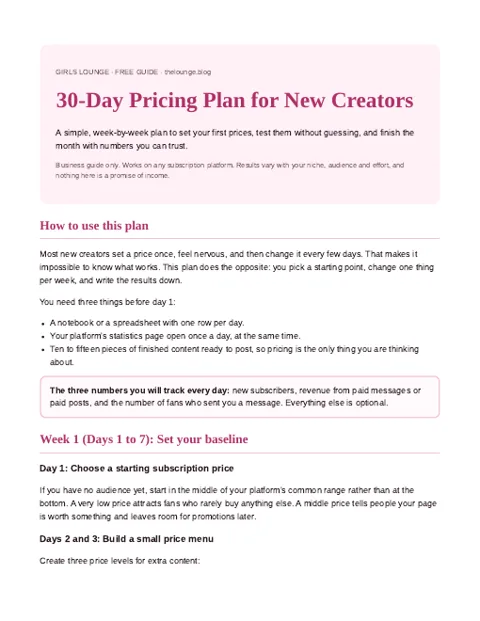
Four weeks, one change per week, clear decisions. Download our pricing plan for new creators.
Join the creators group to get the plan
PDF pinned in the group. What is inside?
5. Scheduling and promo on autopilot
Let tools post for you while you live your life.
- Schedule posts with your platform's built-in scheduler or tools like Buffer or Later for social.
- Post at your peak times: check your stats for when your fans are actually online (US evenings are usually strong).
- Review analytics weekly: double down on what sells, drop what doesn't.
- Cross-promote: every safe-for-social post should point to one link (your link page or Telegram), not five.
The bottom line
You don't need more motivation. You need systems that work when motivation doesn't. Start with one of these five this week, make it a habit, then add the next one.
FAQ
How often should I post on OnlyFans?
There's no magic number. What matters is a rhythm you can keep every week. Many creators post daily on their feed and send a few PPVs a week, but a smaller, steady schedule beats bursts followed by silence.
What is batch shooting?
Batch shooting means planning one session to create content for several weeks: feed posts, PPVs and safe teasers for social media, all in one go.
Which tools help creators stay consistent?
A content calendar (Notion, Trello or Google Sheets), cloud storage for backups, and a scheduler (the platform's own or tools like Buffer or Later for social media).
How do I avoid burnout as a creator?
Protect fixed creation slots, plan ahead, batch your shoots and keep a short daily checklist instead of trying to do everything every day.