Bluesky for OnlyFans Creators: Profile Links, Adult Labels and How to Promote Without Getting Flagged

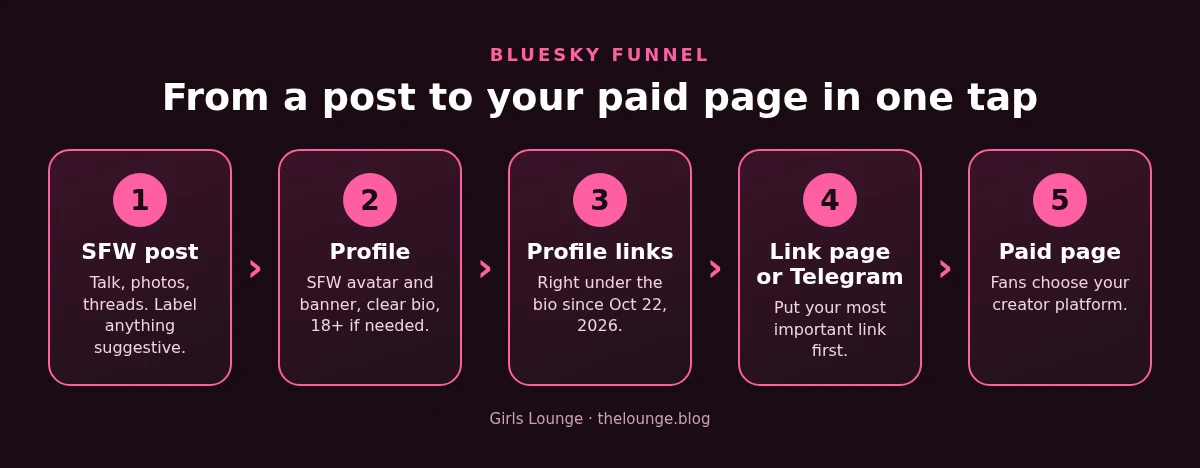
Bluesky is one of the few big social networks that openly allows adult content, as long as it is labeled. On October 22, 2026 it also added something creators have wanted for years: clickable links right under the bio. Used well, that makes Bluesky one of the cleanest funnels you can build toward your paid pages.
This guide explains the rules from Bluesky's own pages, as checked on October 28, 2026, then shows how to set up a profile that grows without getting flagged.
The short answer
Bluesky's Community Guidelines allow "consensual adult sexual content" when it is "appropriately labeled and subject to appropriate age restrictions". Label every adult or suggestive image yourself, keep your avatar and banner soft, and use the new profile links to send visitors to your link page, your Telegram and your creator platforms in one tap.
New: profile links under your bio
Bluesky's announcement of October 22, 2026 introduces "profile links, a new way to highlight links at the top of your Bluesky profile". Unlike classic link-in-bio pages, the company says they send followers "directly where you'd like them to go".
The detail creators should note: "links to payment platforms like Patreon and Ko-fi automatically appear as prominent green buttons on profiles." Bluesky only names Patreon and Ko-fi, so do not assume every platform gets the green button. Other links still show as normal links under your bio.
How to add them, according to Bluesky:
- Open your profile and select Edit Profile.
- Find the new Links section and add a URL.
- Optionally give the link a custom title.
- Add more links and drag to reorder them.
On mobile, people can tap and hold a link to preview the full URL, so a clear, honest address matters. Put your most important link first, for example your link page or your Telegram, then your platforms.
What Bluesky allows and forbids
The Community Guidelines are short and worth reading in full. For adult creators, the key lines are:
- Allowed: consensual adult sexual content, including fictional depictions, when properly labeled and age restricted.
- Forbidden: sexual content involving non-consensual activity, including synthetic or illustrated versions.
- Forbidden: sharing, threatening to share or promoting tools to create intimate images of anyone "without their express consent, including synthetic or digitally altered content". No AI edits of other people.
- Forbidden: anything that sexualizes minors or minor-aged characters, in any form.
Two rules matter for promotion. You must not "post undisclosed commercial content, sponsored material, or advertising without clearly identifying its commercial nature", and you must not "artificially manipulate features or social signals", such as follower counts or engagement. Spam and repetitive posting that disrupts conversations are also banned. So: say when a post is an ad or an affiliate link, and skip follow-for-follow tricks and bought likes.
How labels work
Bluesky added self-labeling in August 2023, as TechCrunch reported at the time. When you attach an image, the composer gives you a label button (a shield icon at launch) to pick the right warning before you post.
Bluesky's moderation documentation explains what each label does:
- Adult (porn): puts a warning on images that "can only be clicked through if the user is 18+ and has enabled adult content".
- Suggestive (sexual): behaves the same way, "meant to handle less intense sexual content".
- Nudity: puts a warning on images, but it "isn't 18+ and defaults to ignore", so by default those images show without a warning.
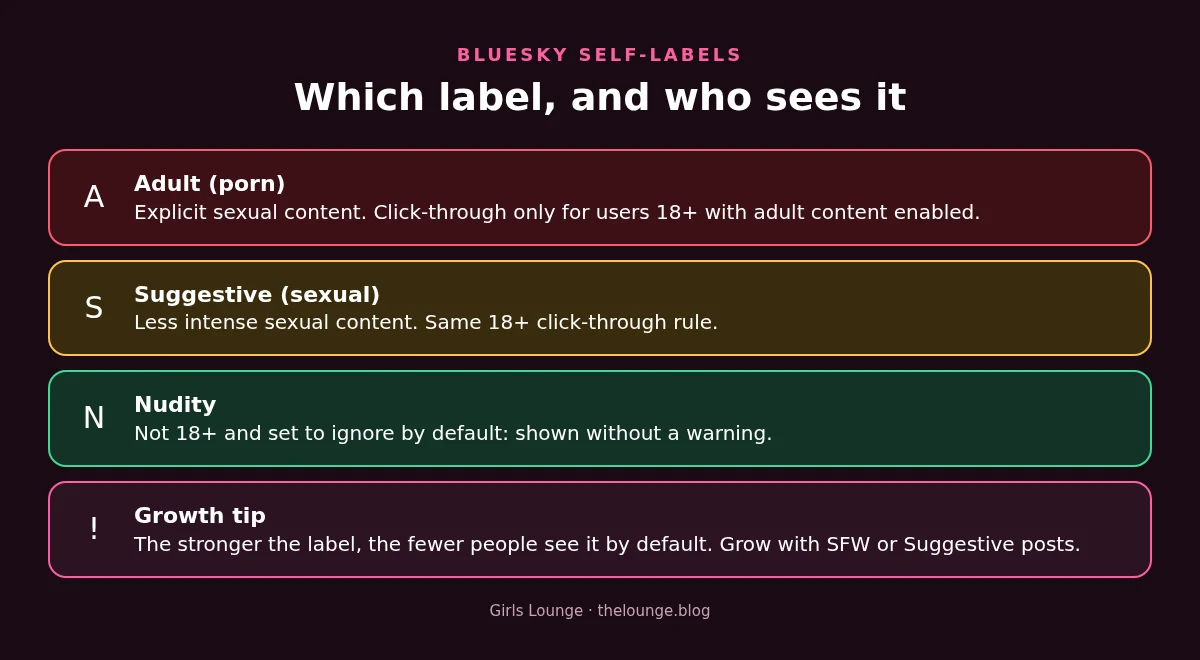
The trade-off is simple. The stronger the label, the fewer people see the image by default. That is why your growth posts should be SFW or Suggestive at most, with Adult reserved for content you are fine showing only to opted-in adults.
The same documentation lists a self-label called "!no-unauthenticated", which asks apps not to show your content to logged-out visitors. Bluesky moderators can also label your posts themselves, and the guidelines describe an appeals process if you think they got it wrong.
Set up your profile the right way
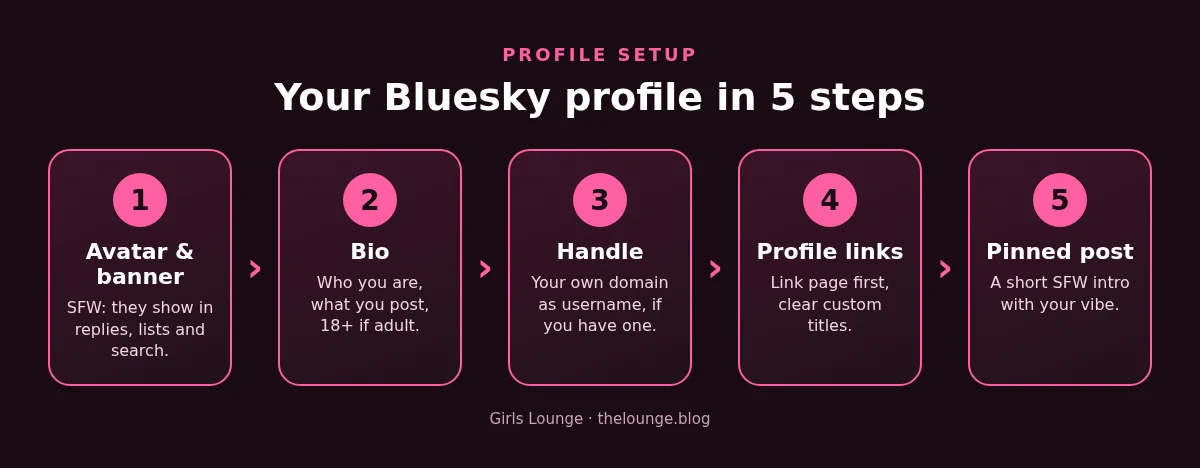
- Avatar and banner: keep them SFW. They appear everywhere your name does, in replies, lists and search.
- Bio: one line about who you are, one about what you post, and "18+" if your posts include adult content.
- Handle: Bluesky lets you set your own website as your username, which it calls "one form of verification". If you own a domain, it is a strong signal against impersonator accounts.
- Profile links: link page or Telegram first, then your creator platforms, each with a clear custom title.
- Pinned post: a short SFW introduction with a photo that shows your vibe.
What to post to grow
These are our editorial suggestions. Bluesky rewards conversation more than broadcasting, so write like a person, not like an ad.
- Daily short posts: a thought, a question, a funny moment. Reply to everyone in the first hour.
- SFW photos: outfits, gym, travel, cosplay. Label Suggestive when in doubt.
- Threads: "5 things I learned in my first year as a creator" style posts that get shared.
- Join feeds and communities around your real interests, not only adult ones. People follow people they talk to.
- Announcements with a disclosure: when you share a platform link or a promo, say it is your page or an ad.
Avoid posting the same promo text over and over: the guidelines treat repetitive, disruptive posting as spam.

Checklist before you post
- Is every adult or suggestive image labeled?
- Is everyone in the image an adult who agreed to be shown?
- Did you avoid AI edits of anyone else?
- Is any promo or affiliate link clearly marked?
- Do your profile links open the pages they say they open?
Build more than one funnel
Bluesky works best next to other SFW channels. Pair it with our YouTube SFW strategy and our Threads guide, and point every profile to one link-in-bio page. Keep your income on more than one creator platform too, so one rule change never empties your account.
FAQ
Does Bluesky allow adult content?
Yes. Bluesky's Community Guidelines allow consensual adult sexual content, including fictional depictions, when it is appropriately labeled and age restricted. Non-consensual content and intimate images of anyone without consent are banned.
How do I add links to my Bluesky profile?
Open your profile, select Edit Profile, find the Links section, add a URL, give it an optional custom title and drag your links into order. They appear right below your bio. Bluesky launched the feature on October 22, 2026.
Will my OnlyFans link show as a green button on Bluesky?
Bluesky says payment platforms like Patreon and Ko-fi automatically appear as green buttons. It does not name other platforms, so other links may show as normal profile links.
Which label should I use on Bluesky?
Use Adult for explicit sexual content, Suggestive for less intense sexual content and Nudity for nudity that is not sexual. Adult and Suggestive images can only be clicked through by users who are 18+ and have enabled adult content.
Can I promote my creator page on Bluesky?
Yes, but clearly identify commercial or sponsored posts, do not manipulate followers or engagement, and avoid repetitive spam posts, as the Community Guidelines require.
Sources
- Bluesky: Introducing Profile Links (October 22, 2026)
- Bluesky Community Guidelines (read October 28, 2026)
- Bluesky docs: Moderation, labels and self-labels (GitHub)
- Bluesky: How to verify your account with your website (April 28, 2023)
- TechCrunch: Bluesky adds self-labeling for posts (August 16, 2023)