Give Him One Big Red Button: The Simple Bio Link That Converts

💬 Free Telegram help group: real creators, real answers
Picture it: he saw your post, he's hooked, he taps the link in your bio... and lands on a page with twelve buttons. Instagram, TikTok, Amazon wishlist, Spotify playlist, two fan pages, a "about me." He hesitates. He closes the tab. You just lost a subscriber to too many choices.
Now picture one big, bold button that says exactly what to do. Tap. Subscribed. That's the big red button strategy.
Why fewer choices convert better
Psychologists call it choice overload: the more options you give people, the more likely they are to choose nothing. Online, attention is short, and every extra decision is a chance to lose him.
- One clear action = less thinking, more clicking.
- Every extra link = a little friction.
- A visible, colorful button = the eye goes straight to it.
Don't make him think. Make him click.
What the big red button looks like
- One main button, big, high-contrast, at the top: "See my exclusive page," "Join me on OnlyFans," "Subscribe now."
- One or two secondary links max, smaller and below (for example your free Telegram channel).
- A short line of copy above the button that gives a reason to click: "My spicy side lives here 😈."
- A photo that matches the vibe of the post he came from.
Which tool to use
Any good link-in-bio tool lets you create a page with large buttons: Beacons, Linktree, Allmylinks, or a simple one-page site. Pick one that allows big, customizable buttons, mobile-first design and simple analytics. For why a link page beats pasting your OnlyFans URL directly, read stop pasting your OnlyFans link everywhere.
Set it up in 10 minutes
- Decide your one goal. Usually: subscribe to your main page (OnlyFans, Fansly or MYM Fans).
- Create one big button for that goal, in your brand color.
- Add a hook line above it.
- Move everything else below, smaller, or remove it.
- Test on your phone. Can a stranger understand what to do in 2 seconds?
- Check your stats after a week and tweak the button text.
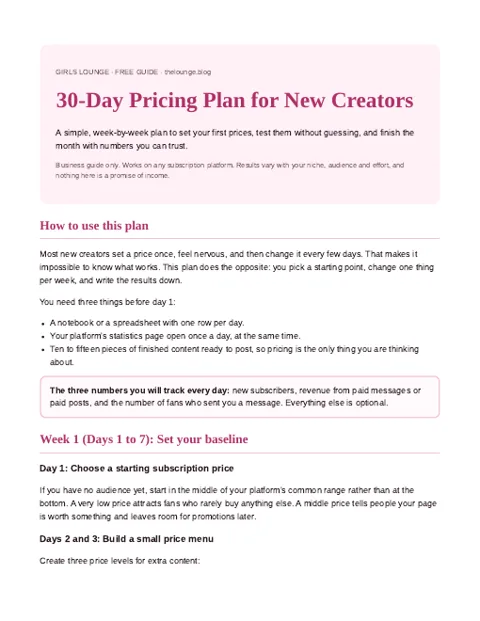
The free 30-Day Pricing Plan gives you a day-by-day checklist and a one-page rules template.
Join the creators group to get the plan
PDF pinned in the group. What is inside?
Big red button vs link menu
| One big button | Menu of 10+ links | |
|---|---|---|
| Clarity | Instant | Confusing |
| Clicks to your main page | Higher | Diluted |
| Mobile experience | Clean | Endless scrolling |
| Best for | Converting new fans | Creators with many unrelated offers |
Mistakes to avoid
- Equal-sized buttons for everything. If everything is important, nothing is.
- Vague button text like "Click here." Say what he gets.
- Two paid pages side by side without a clear reason. Pick your main one.
- Breaking social platform rules. Keep your link page and its preview SFW where required.
FAQ
What is the big red button strategy?
It's a conversion technique: your bio link page shows one big, obvious call-to-action button for your main goal (usually subscribing to your fan page) instead of a long menu of equal links.
Why do too many links hurt conversions?
Because of choice overload: when people face too many options, they hesitate and often choose nothing. One clear action gets more clicks.
Which link-in-bio tool is best for creators?
Beacons, Linktree, Allmylinks or a simple one-page site all work. Choose one with large customizable buttons, a mobile-first design and basic analytics.
Can I still link my other socials?
Yes, but make them smaller and place them below your main button so they don't compete with it.
What should my main button say?
Something specific and enticing, like "See my exclusive page" or "Join me on OnlyFans", not just "Click here."
Bottom line
He's already curious. Don't make him search. Give him one big red button and let him press it.